
In our previous post, we focused on surfacing AI opportunities and building trust through thoughtful design. But there is another challenge product teams face: designing for a user whose role has fundamentally changed. In this new era, users are no longer just operating software; they are managing intelligent systems.
Designing AI-powered experiences means asking a different set of questions: not just what the AI should do, but how it should show up for users, and what kind of relationship it creates.
From Operator to Manager
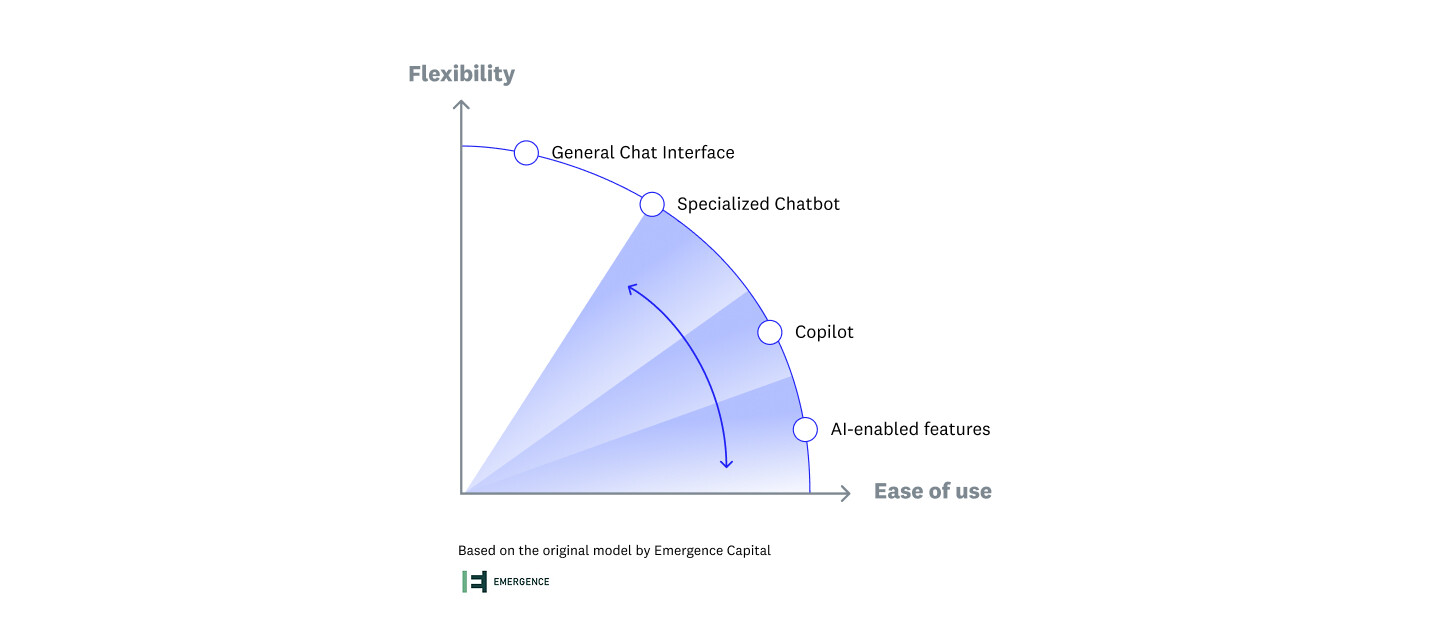
In Emergence Capital's article "Your Success with Generative AI May Come Down to These UX Decisions," they describe a key tradeoff in SaaS UX today: the more flexible and generative your AI is, the harder it becomes to use. Users are asked to decide what to do, navigate an open-ended interface, and determine what the system is capable of, all with minimal guidance.
In enterprise tools, we have seen that this flexibility (a chatbot, say) often comes at the expense of clarity. Users want power, but they need confidence, especially when AI is new, imperfect, and evolving. This is also why AI more commonly shows up as a co-pilot or as advanced features in enterprise contexts.
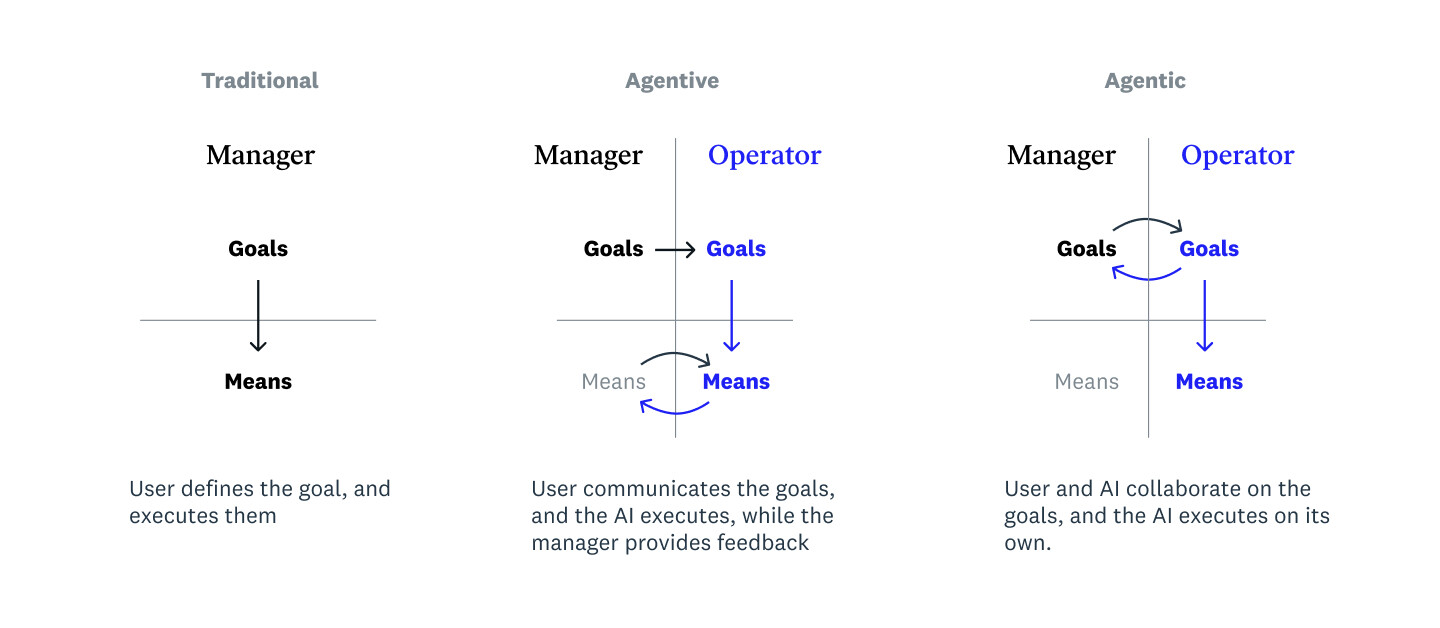
Another model we use to inform this new relationship between users and AI was inspired by Hugh Dubberly's Managing Design model, which helps us reframe from user-as-operator to user-as-manager. In traditional software, users define their goals and execute specific commands. With agentive AI, the model flips: users don't operate a tool, they manage an assistant.
Imagine being given a brilliant, eager intern. They might be able to take on real work, but it takes time to build trust. You still need to set direction, monitor progress, and correct mistakes.
AI is similar, but more prone to being confidently incorrect. In the enterprise world, trust is critical; even a small error can erode confidence in a significant way. One of the biggest challenges in designing AI-powered products is helping users manage AI effectively to get the right outputs.
We have seen our clients' AI models deliver relevant insights, summarizations, and task recommendations. But users still hesitated. In user research, we often heard: "I like what it's showing me but I'm not sure I trust it yet."
Chat-based UIs, which have become a go-to for generative AI, don't help much. By hiding system logic in a conversational layer, they increase uncertainty. Users don't know what the system can do, how it got to a conclusion, or what actions are safe to take. And when trust is low, so is adoption.
Putting Our Learnings Into Practice
Helping users manage AI without feeling like they have lost control requires thoughtful design. Here are a few patterns we have found effective:
Coach the coach: Becoming more of a manager is a skill that takes practice. Give the user guidance on what kinds of inputs are helpful to get the best outputs from their AI assistant.
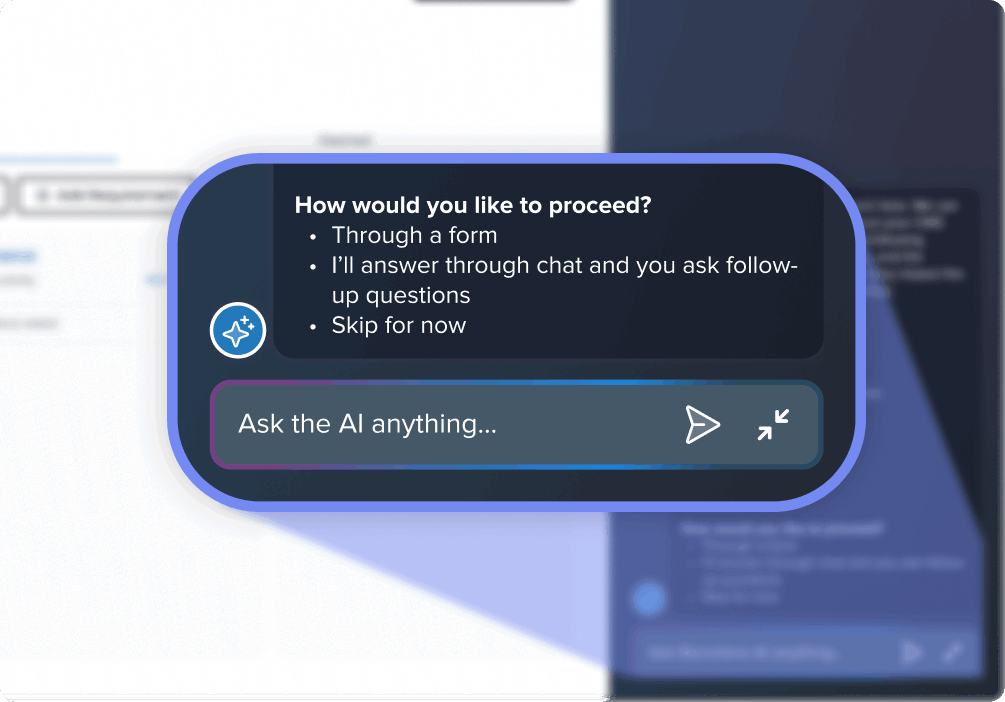
Providing guidance helps users avoid the blank slate problem, prompting them with potential paths forward to help them provide ideal inputs.
Increase your users' calculus-based trust: Early trust is calculus-based: people need to see how something works, and why it can be relied on, before they lean on it. Have the AI agent show its homework, via visual hints about where data came from or why something was recommended.
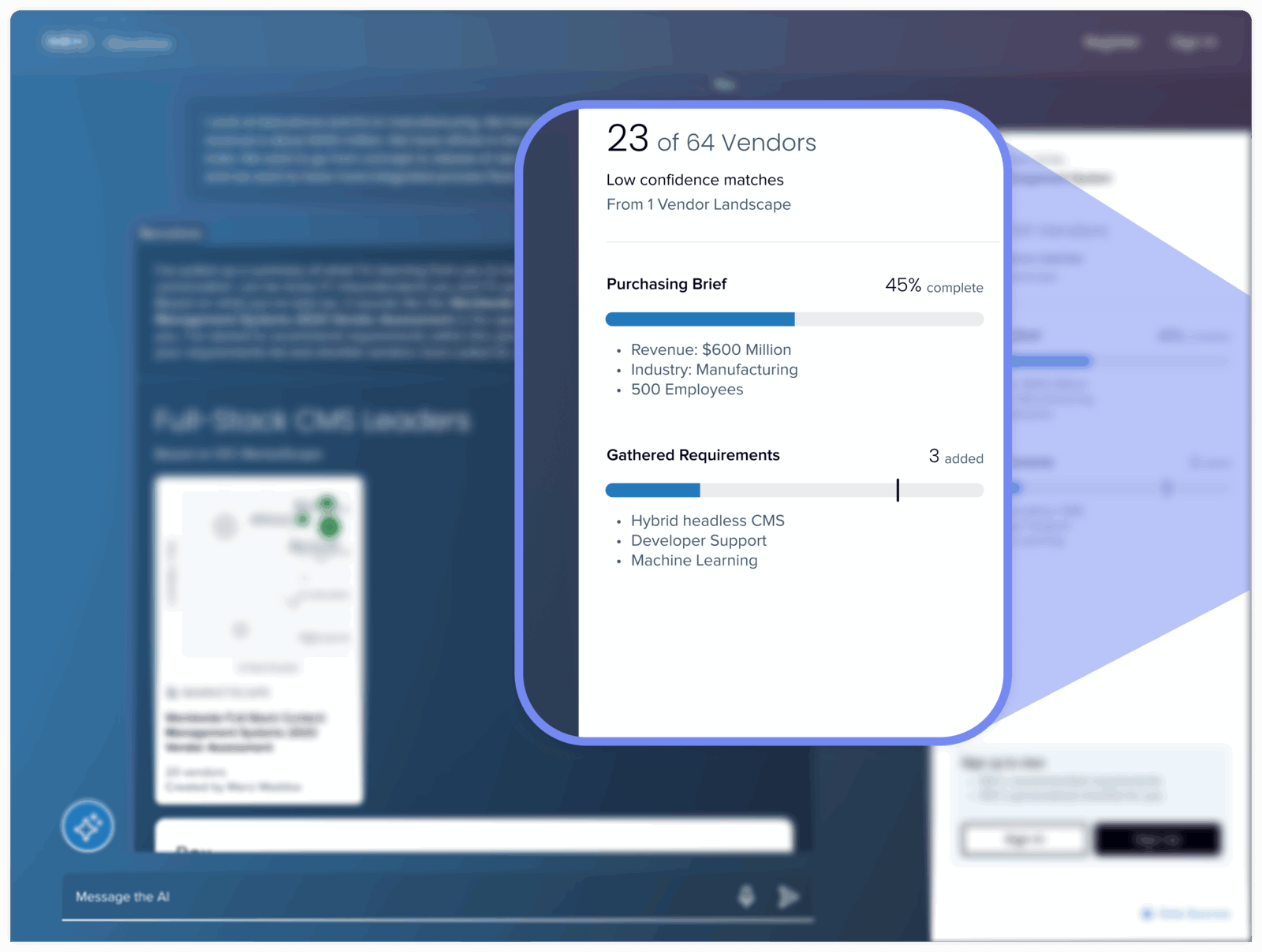
For IDC, we created a panel that gathers AI outputs, allowing users to check that the outputs are matching their inputs.
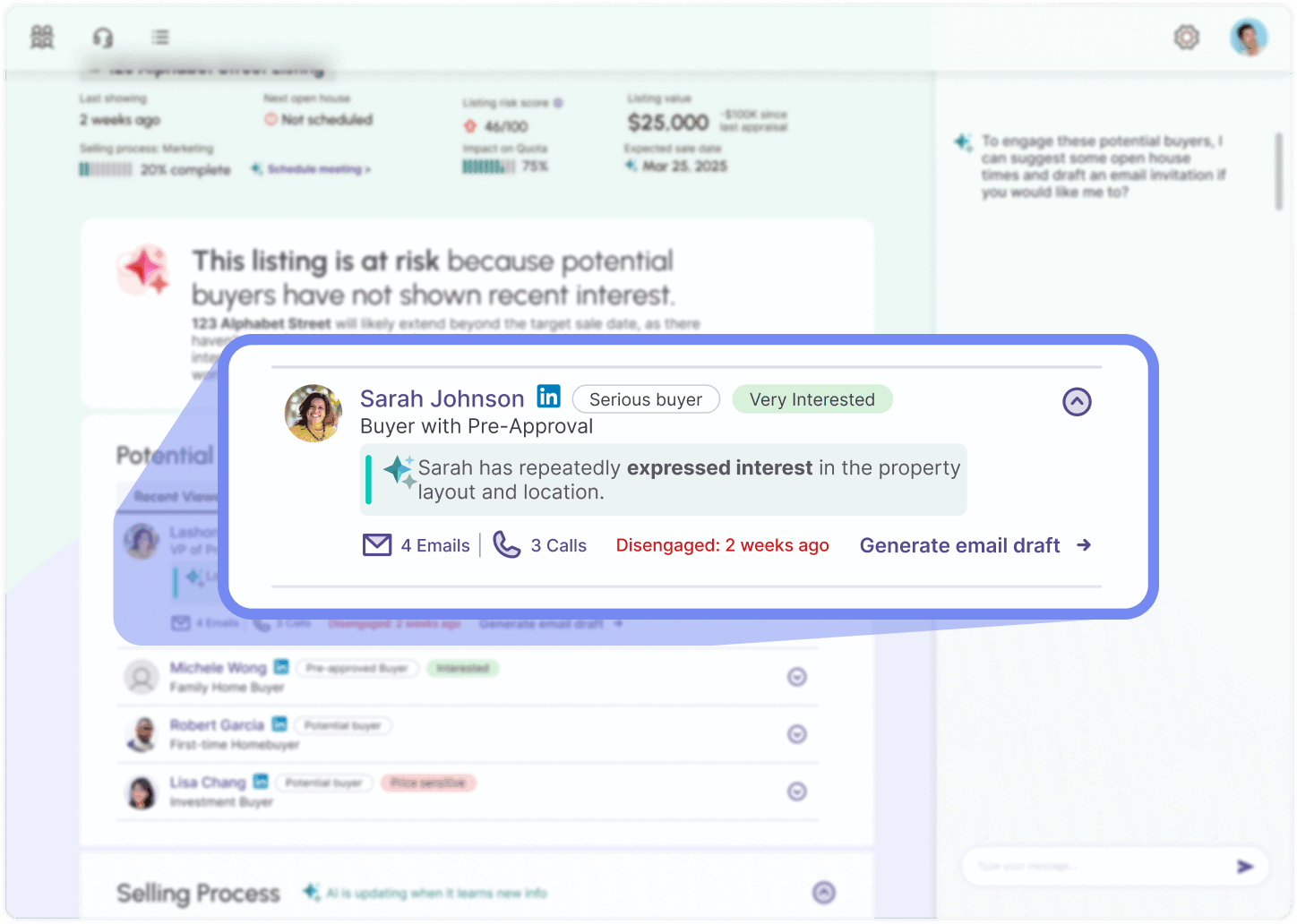
In this prioritized list, we added context that explains why the user might want to prioritize reaching out to a specific contact, along with sources for that suggestion.
Ground AI in context: Grounding generative AI features in context helps users understand where they are in the system and provide better inputs.
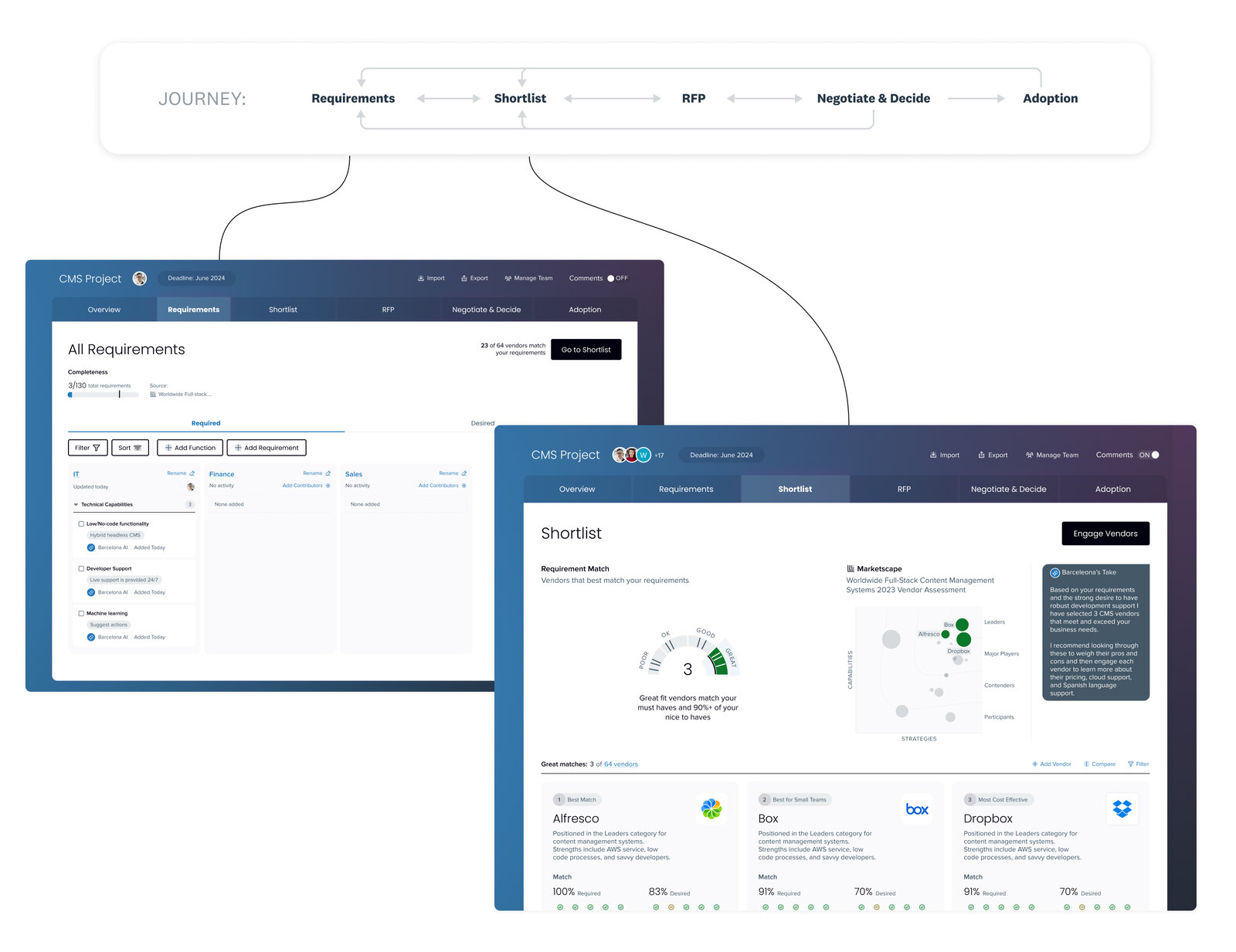
We incorporated tabs where generated information can be collected, to help align AI tasks and outputs against the user's mental model of their actual workflow.
Offer human overrides: AI outputs aren't always correct, or the most efficient way to do things, so it is important to give users the ability to inspect, undo, or edit AI outputs without feeling like they have broken something.
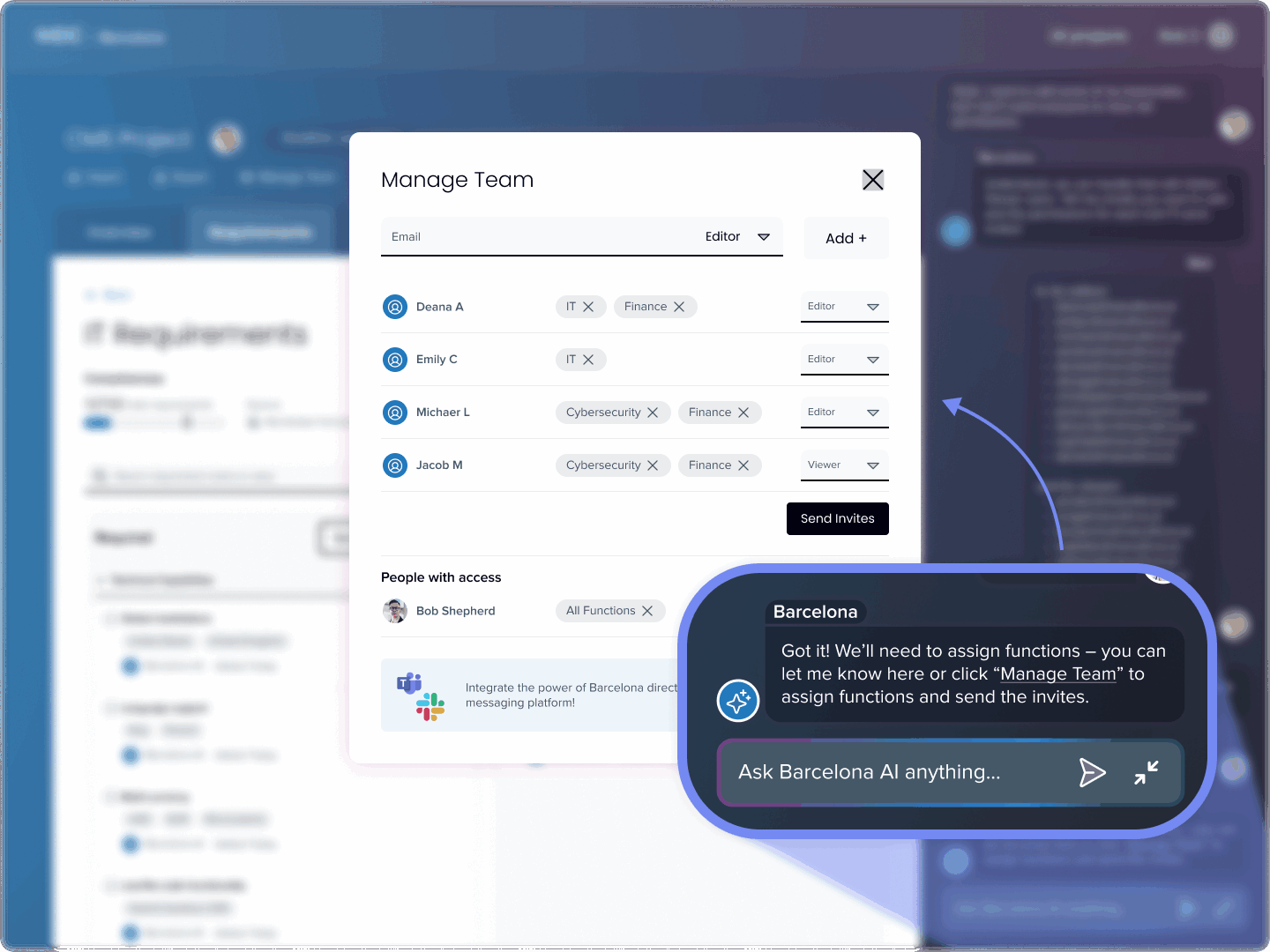
Giving users the choice to default back to more traditional ways of accomplishing a task provides an escape valve, for when the chat interface may not be ideal.
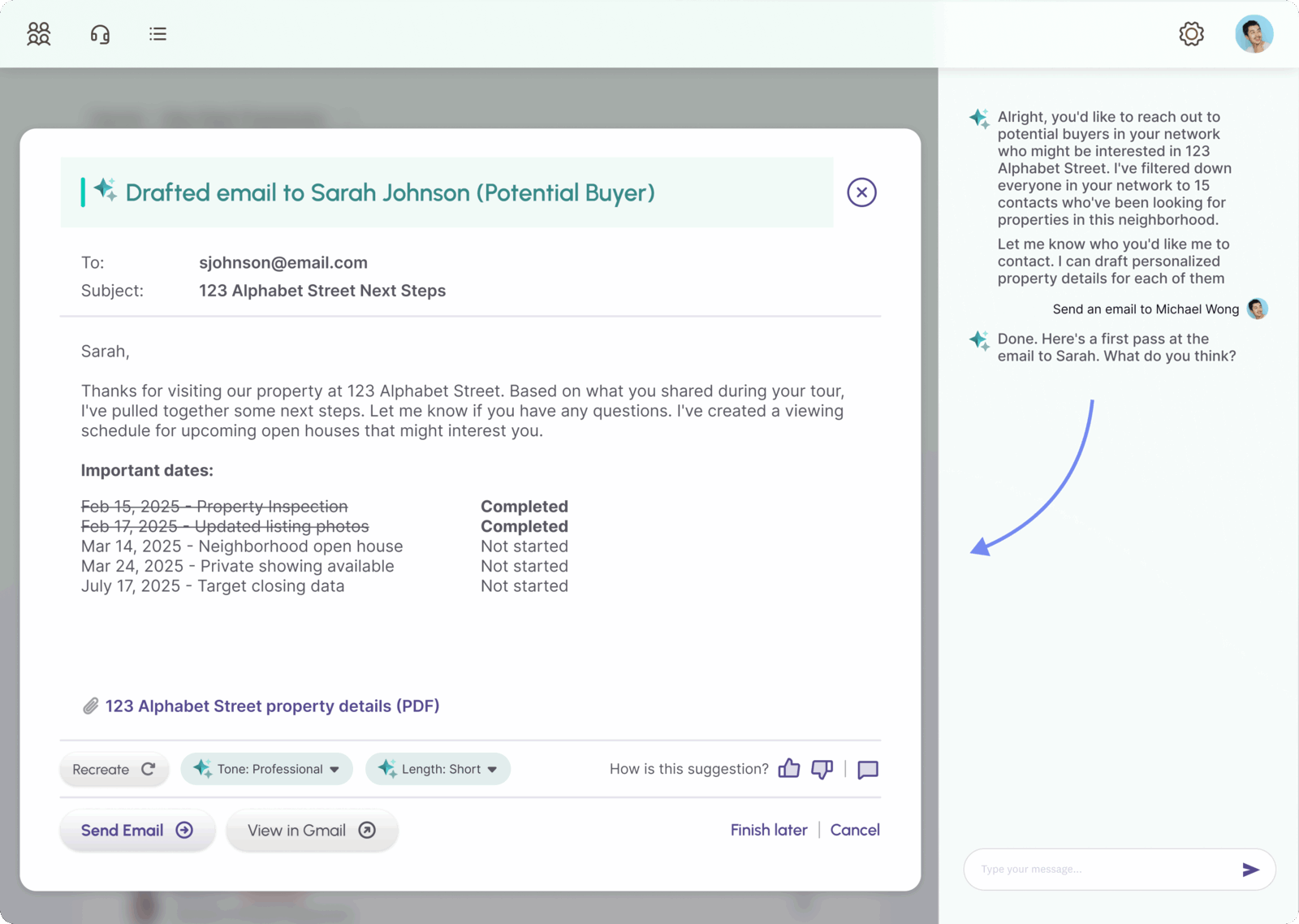
Here AI created a suggested draft, in a separate editable area, making it clear to the user that they can refine it further.
Designing for the shift AI brings into users' experience takes more than UI tweaks. It requires a mindset change in the product team too: from delivering answers to building relationships. If we want users to trust AI, we have to give them the tools to manage it and the confidence that they still hold the reins.
Food for Thought
Whether you are building a product from scratch or evolving a mature platform, here are a few questions we think every team should be asking right now:
- Where does AI add real value, not just novelty?
- How will our users interact with AI in order to produce the best outputs?
- How will our AI outputs be explained and trusted over time?
- How are we ensuring that incorporating AI isn't increasing cognitive load and confusion for our users?