
AI is no longer a differentiator; it is assumed. The real question is not if you use AI, but why it matters to your users. In this landscape, differentiation comes from how well your product solves real problems, leverages proprietary data, and delivers an experience users actually trust and want to use. These advantages are not isolated moats. They work together, reinforcing one another, to create a stronger, more resilient product that is not just smart but truly valuable.
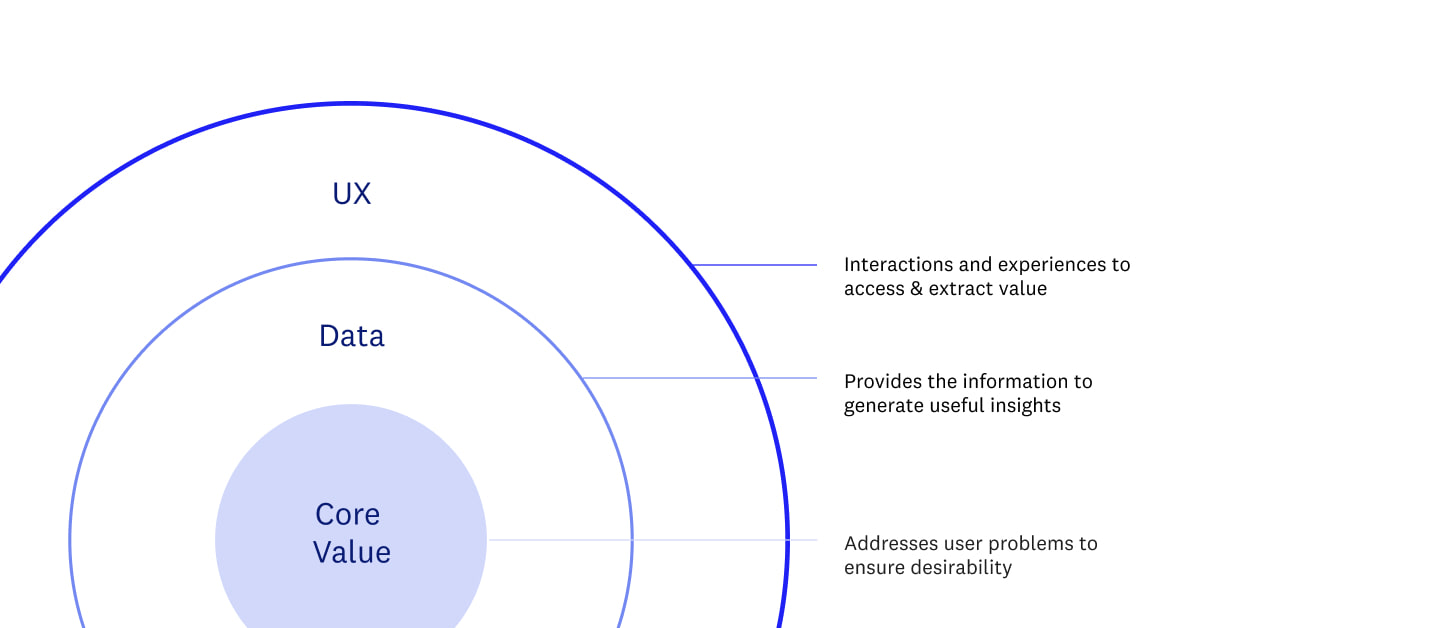
At DesignMap, we are seeing a major shift in the product teams we work with across industries, from scrappy AI-native startups to established enterprise platforms. What started as a race to get something AI-powered into the roadmap has evolved. Product leaders are now asking deeper, more strategic questions:
- Where can AI create real value for our users?
- What does it take to build a purpose-specific AI tool that is more compelling to users than the general tools they already rely on?
- How do we build trust in an experience that is constantly learning?
We believe understanding that last question is central to the success of any tool incorporating AI. As we work more and more with AI, we keep returning to a trust model we adapted years ago from academic research on how trust forms: trust starts as calculus-based trust (understanding how something works and why it can be trusted) and deepens into knowledge-based and, ultimately, identification-based trust over time.
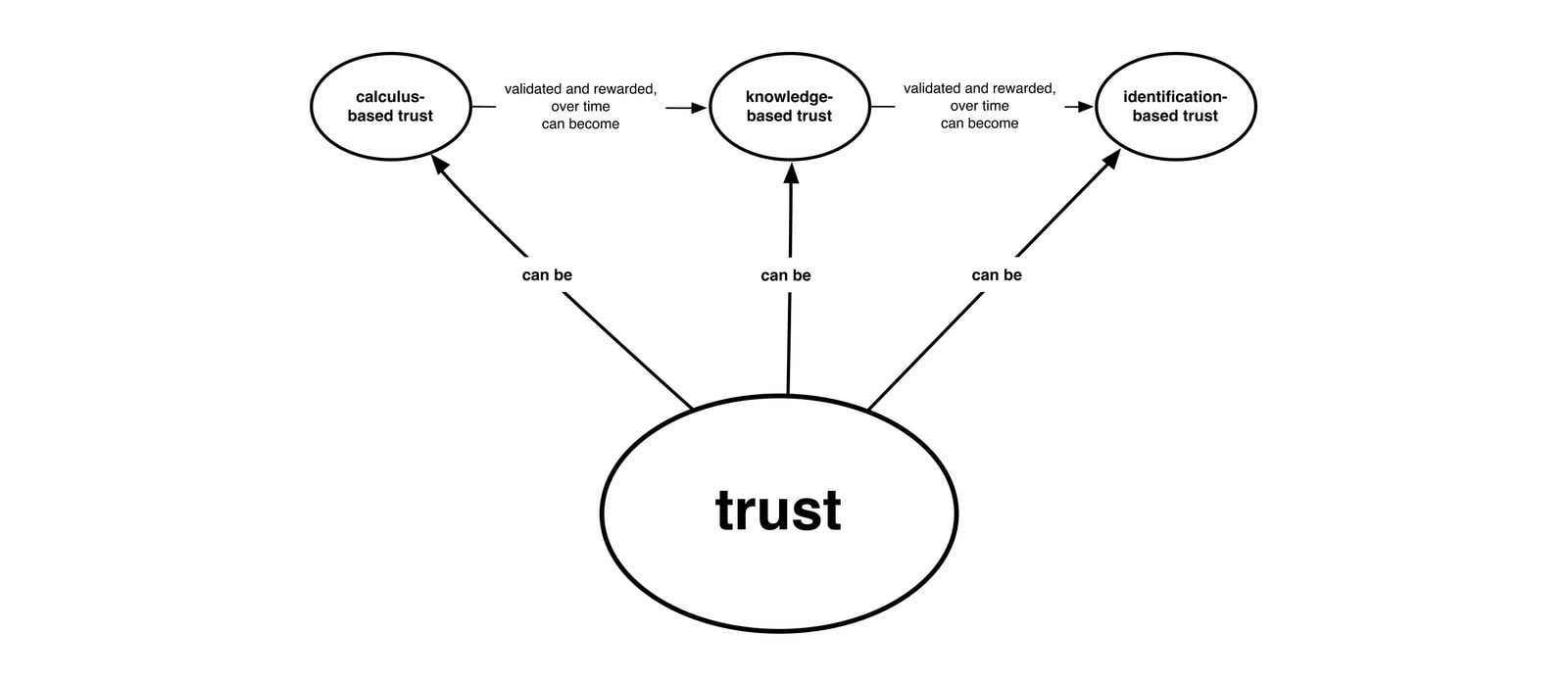
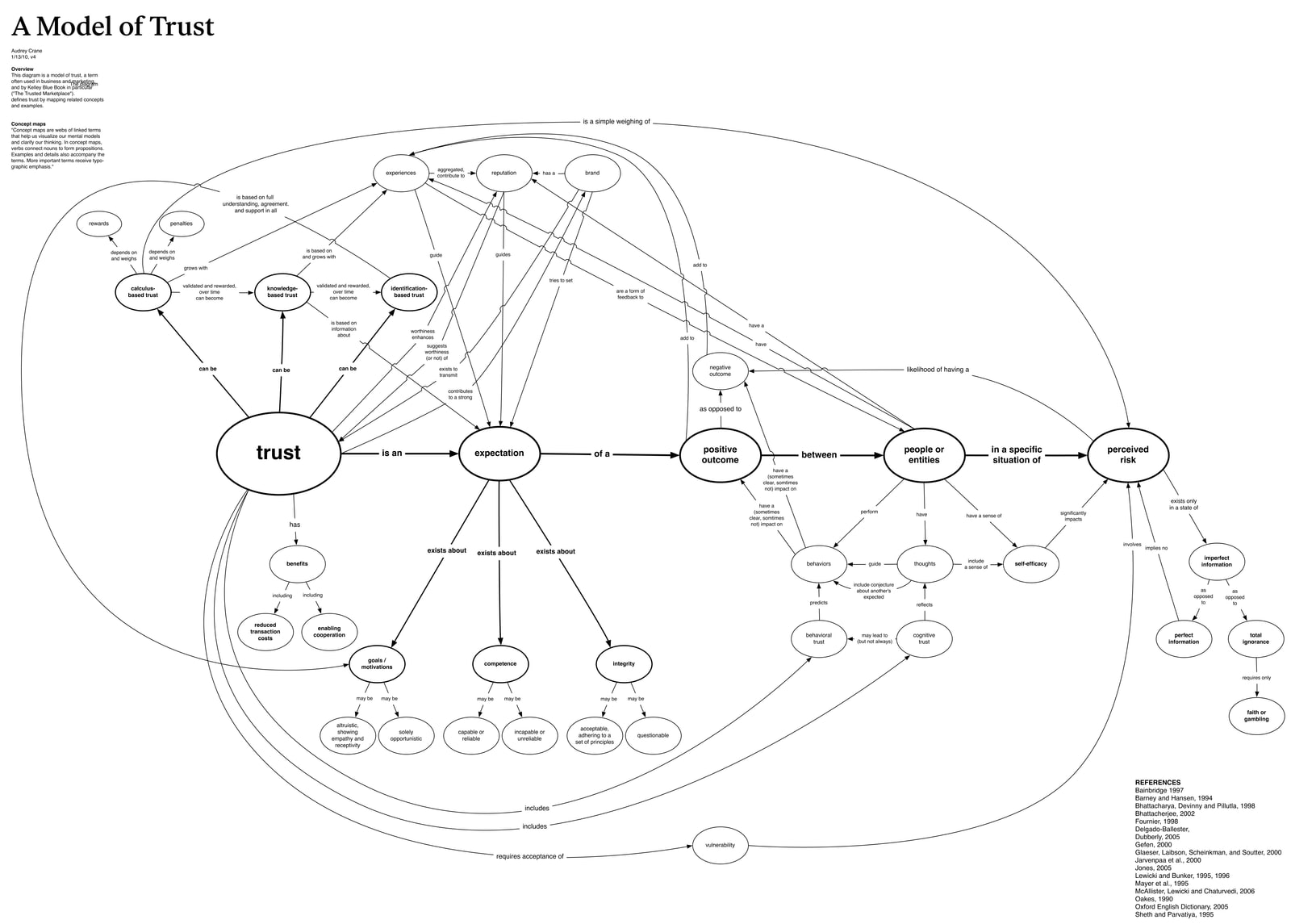
For AI-powered tools, those early moments matter. If users do not feel in control or cannot see how the AI arrived at a suggestion, they will not stick around long enough to build confidence.
This piece shares some of what we have learned partnering with founders and product leaders on AI-centric projects. Specifically: how to identify the right problems to solve, lightweight methods for surfacing user insights, and early signals of trust and adoption.
Making AI's Value Apparent to Users
With new AI tools and capabilities emerging every day, it is easy to feel pressure to bolt on a feature just to keep pace. But the speed of AI development does not erase the need for thoughtful design. In fact, it raises the stakes.
We are in unfamiliar territory. Many users are unsure how AI fits into their workflow. There is little standardization in how AI shows up in interfaces. And when people do not understand what AI is doing or how it is helping, trust erodes quickly.
That is why, before we dive into designing screens, we help teams ask and answer these core questions:
- Where are users spending time today, and where do they want to be?
- Which tasks deserve to be automated, and which benefit from human oversight? (Ye olde "human in the loop" question.)
- What does "helpful" look like when the system is doing more of the thinking?
Three Modes of Discovery
To answer questions like these, we apply different modes of discovery depending on how much clarity a team already has on the problem:
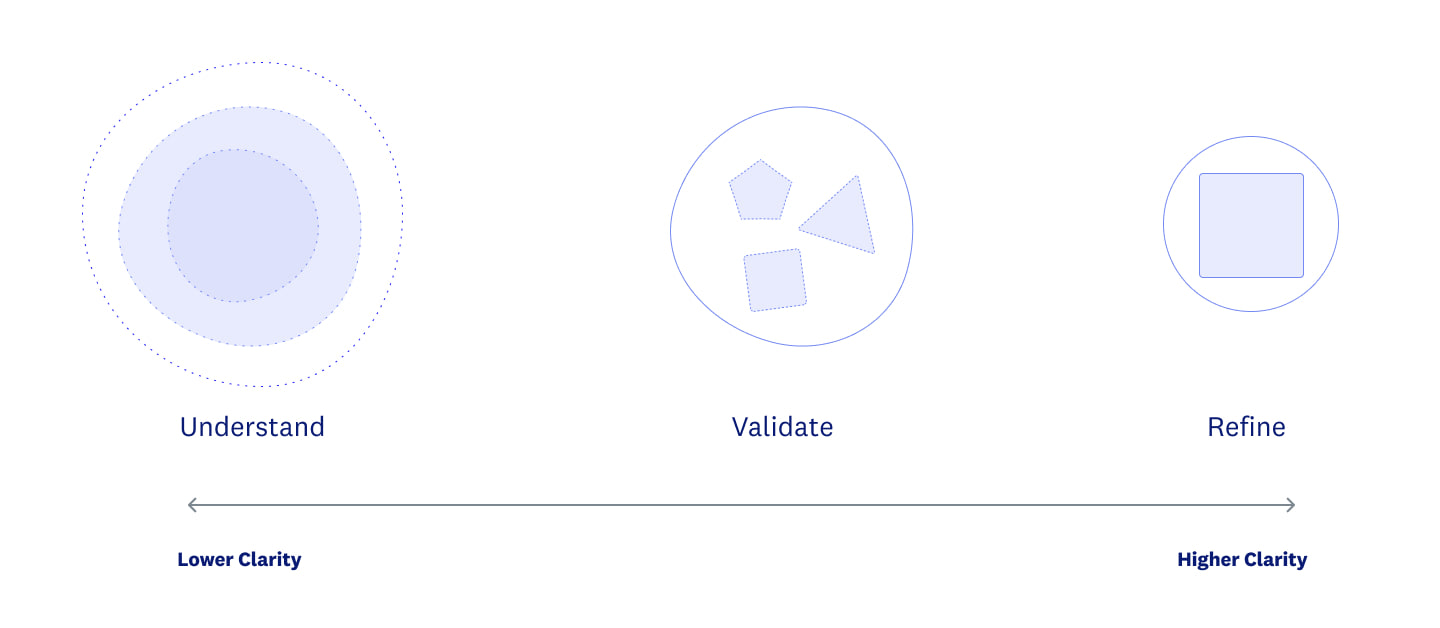
Three modes we will cover here:
- Rapid Understanding
- Concept Validation
- Rapid Refinement
These lightweight, targeted approaches are designed to quickly surface insight while reducing the risk of investing time and resources in building the wrong thing.
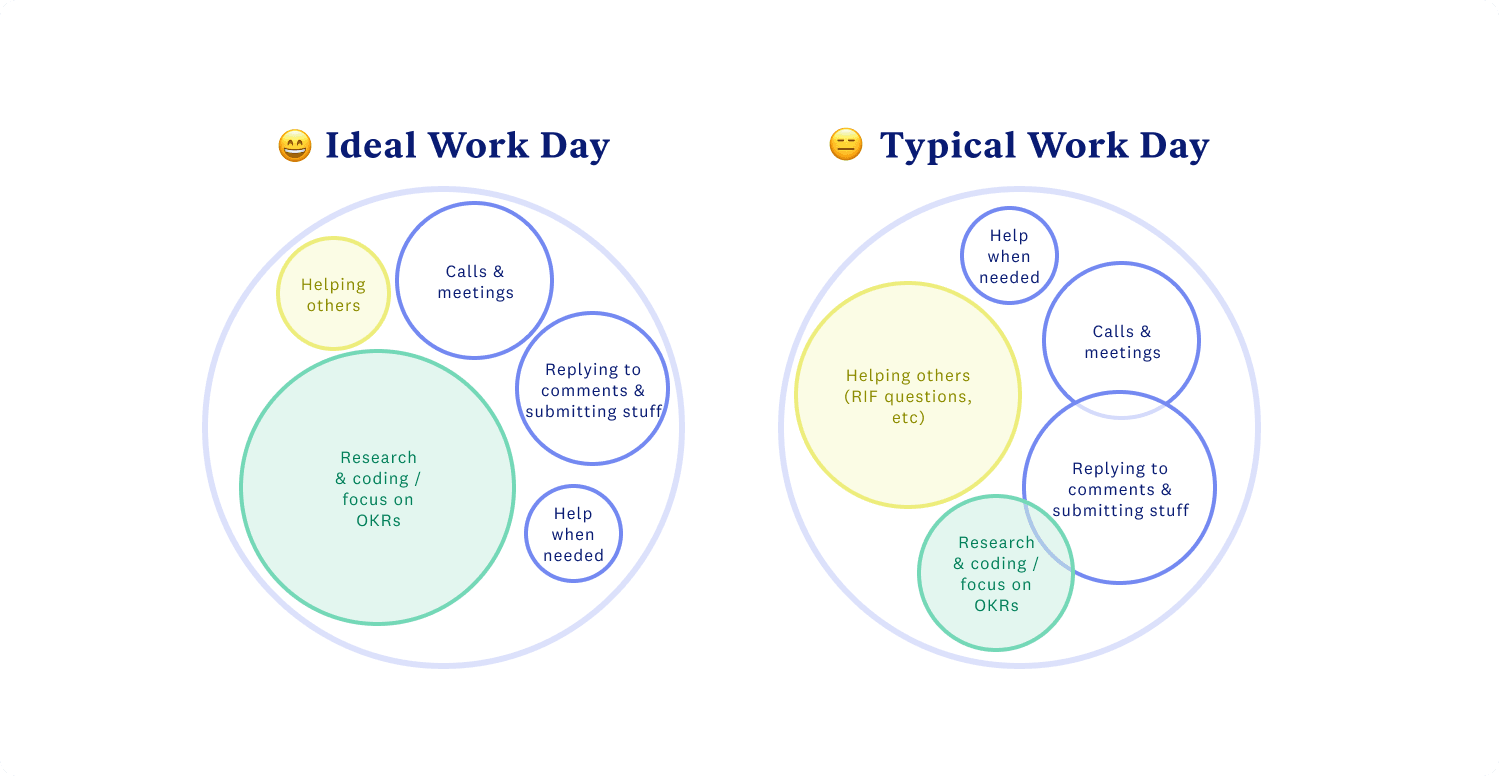
Rapid Understanding When teams are still figuring out where AI fits, we run accelerated research sprints to explore how AI might show up in ways that matter. Even simple tools, like sketching rough maps of users' focus areas, can uncover where people want help from AI, what they might be ready to automate, and what they still want control over. These sessions shape hypotheses about AI's role before anyone writes a line of code.
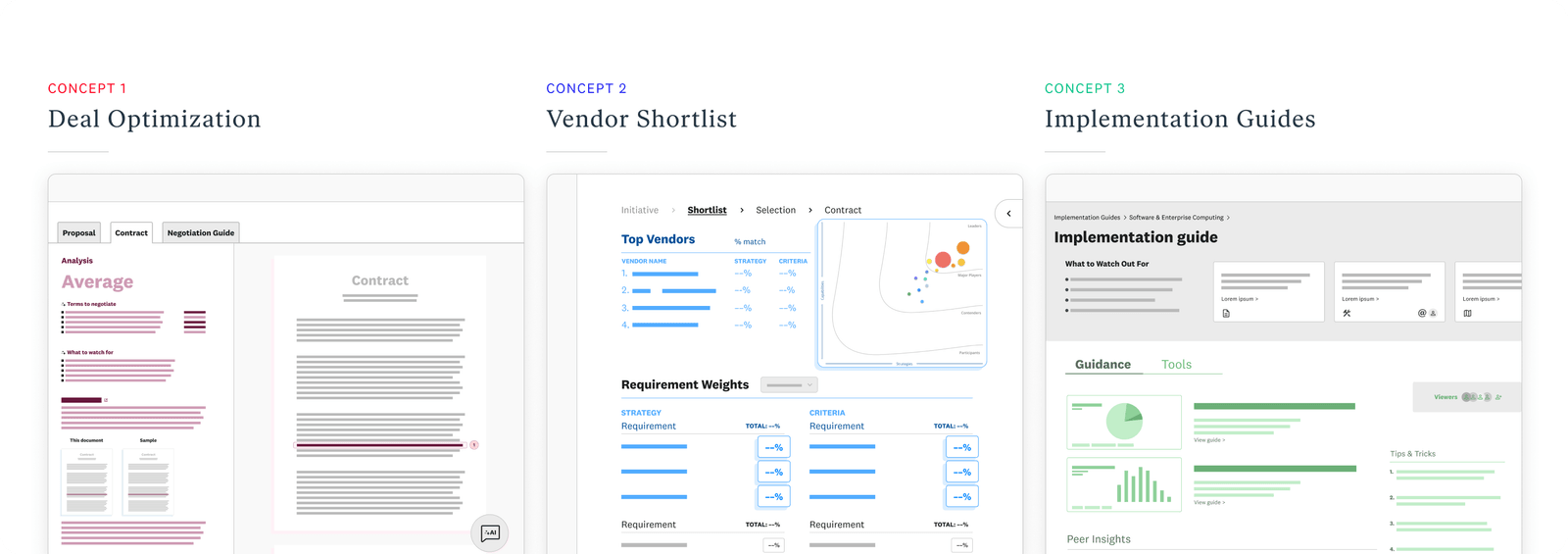
Concept Validation Once we have defined a direction, we shift into early concept testing: not with polished screens, but with just enough visual fidelity to communicate the core ideas and the value behind them. These early concepts are tested with real users, ideally a mix of current customers and others who fit the ideal customer profile, to explore how well they understand what the AI is doing, how it integrates into their workflows, and whether they trust its outputs. The goal is not to test UI polish but to validate users' mental models and expectations. We want to build an AI-powered experience that aligns with how people think and work, rather than bolting on AI features that feel like accessories.
Rapid Refinement For teams optimizing existing experiences, we focus on refining the relationship between user and AI. We have seen teams start with "wow" moments, flashy interfaces or chat UIs, to showcase AI's potential. Over time, those teams tend to pivot to simpler, more familiar patterns that users actually trust and understand.
In one project, we set out to illustrate a smart, proactive system that dynamically served everything up to the user in the right place at the right moment. In this vision, navigation was minimal, since all the information displayed was highly contextual.
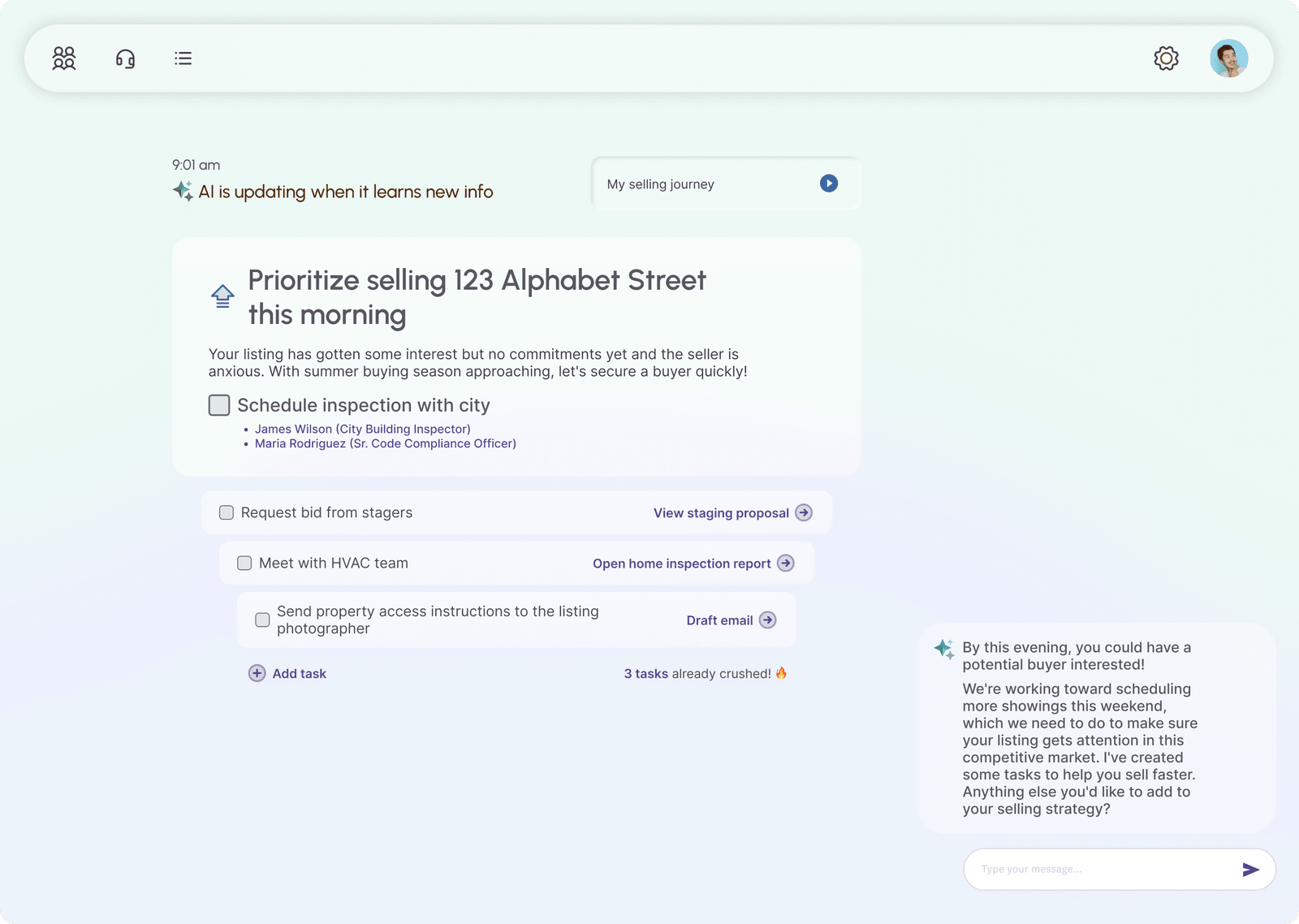
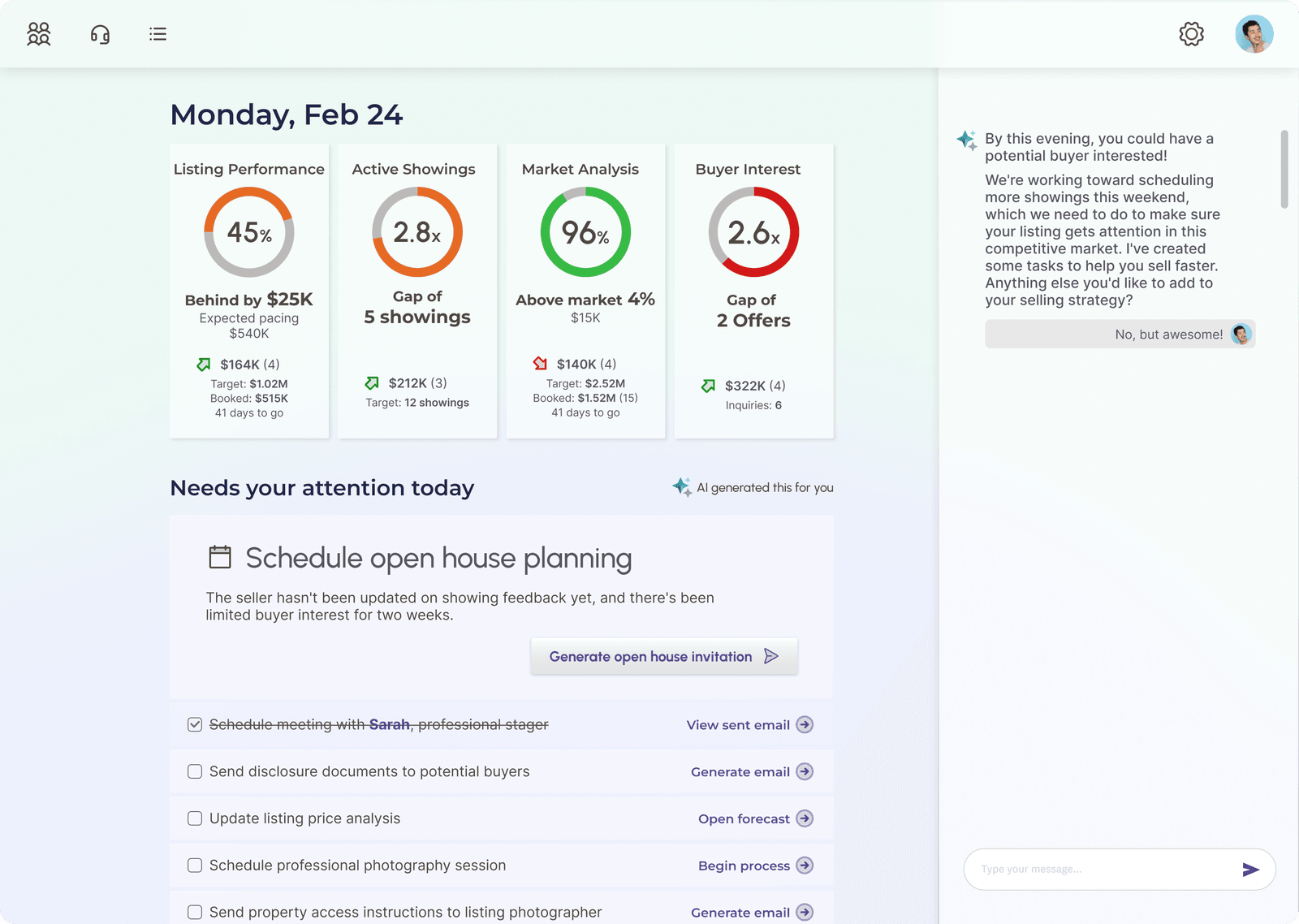
Testing taught us that users still want some level of control. They did not trust that the system always knew what they needed to do next, and they had agendas of their own to pursue. They wanted autonomy over where to navigate depending on their goals in a given moment. This led to re-incorporating more familiar patterns: lists, a navigation bar, dashboard elements. Effectively incorporating AI does not mean stripping your UI down to the bare minimum, and some traditional navigation patterns are still necessary.
Across all phases, the goal is the same: design experiences that address core user needs, feel intuitive, earn trust, and actually make people better at what they are trying to do.
This piece has a companion: Designing for the Management Mindset Shift, on what happens when users stop operating software and start managing it.